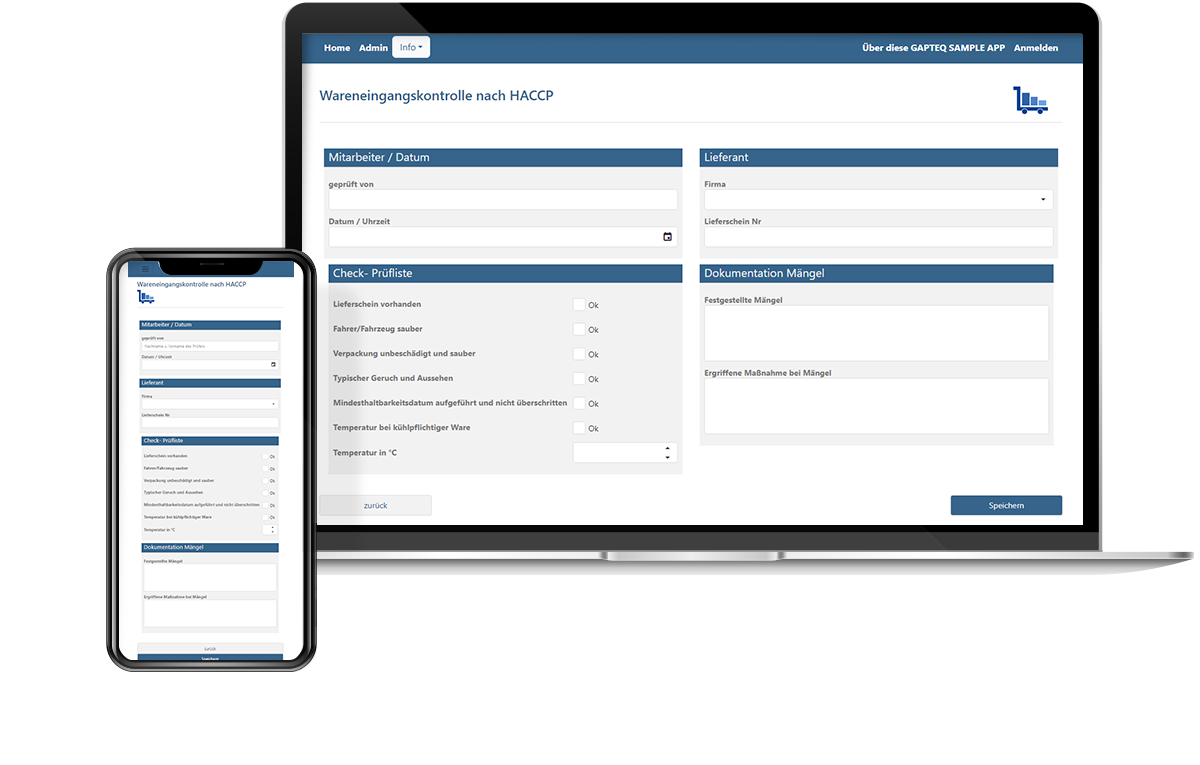










Replace Microsoft Access and modernize existing applications
Convert legacy Access solutions into modern, maintainable applications and create a web-enabled foundation for further development—without having to completely rethink proven structures.
Common challenges with existing Access applications
Dependence on key individuals
Restricted access
Limited collaboration
Security and compliance risks
Limited integration
Limited room to grow
What would you like to replace? An overview of typical Access applications
Centralized management of items, products, or suppliers. This often serves as the foundation for other business processes.
e.g., item master data, supplier directories
Recording of inspection reports, production data, and other internal information.
e.g., quality inspections, goods receipt documentation
Applications for mapping workflows, including statuses, responsibilities, and handoffs between different roles.
e.g., approval processes, internal process control
Custom-developed applications designed to meet the specific needs of individual departments—developed over many years, highly customized, and often business-critical.
e.g., production planning, contract management
“GAPTEQ is a tool for the department. It’s really fun to work with.”
Albert Kremer, Planning & Reporting Systems Austrian Airlines AG
Here's how to turn your existing Access application into a modern solution
Structured data migration
MS Access data is transferred to an SQL database and forms the foundation for the new applications. If the data is already available in SQL, development can proceed directly from this basis.
Rebuilding applications
Based on your data, a modern web application is built in just a few hours – one that mirrors your existing processes and requirements precisely.
Enable access
The application is immediately available as a web-based service and can be used from any device, regardless of location.
Targeted development
Forget tedious IT tickets: New requirements can be added in a structured way without letting the application grow uncontrollably.
Finally replace Access – with GAPTEQ
Integration with existing systems
GAPTEQ applications become part of your IT infrastructure and access existing data sources and systems. With real-time synchronization, without creating new silos.
Web-based access
Applications are browser-based and can be used regardless of location or device.
Multi-user and role-based
Multiple users can work on the finished application simultaneously and reliably, with clearly defined responsibilities and workflows.
Security & Compliance
Maintain full control over infrastructure, data, and permissions. Centrally managed and traceable.
“Working with GAPTEQ has been an inspiration. We were surprised at how quickly and easily it helped us meet our requirements.”
Bernd Lauer, Managing Partner, HOLZMANUFAKTUR GmbH
Frequently asked questions
A pure migration to SQL Server addresses the 2 GB limit and performance issues — but leaves the structural weaknesses of your Access application intact: VBA code, a local frontend, and terminal server access remain. GAPTEQ goes further: your existing data structure is preserved while the application is rebuilt in GAPTEQ — as a modern, web-based architecture with centralized data storage, role-based access, and browser-based usage. The result isn't a technical workaround, but a future-ready application that can continue to evolve in the years ahead.
While a simple migration to SQL Server resolves the 2-GB limit and the performance issue, it does not address the structural weaknesses of the Access application: VBA code, the local front end, and Terminal Server access remain in place. GAPTEQ goes a step further and migrates the entire application to a modern, web-based architecture—with a centralized data model, role-based access, and browser-based usage. The result is not a stopgap technical solution, but a future-proof application that can continue to evolve in the years to come.
A first productive web application is typically built in GAPTEQ within hours to days — depending on the complexity of the data model and business logic. More complex applications with multiple workflows, parameters, and interfaces can be delivered within weeks. Compared to traditional custom development, time-to-value is significantly shorter, because applications are configured visually rather than coded.
Access applications that have evolved into process solutions for multiple users are particularly well-suited: central master data management systems, operational data entry, process and approval workflows, and custom business applications. Applications that have evolved over the years with complex forms, reports, and VBA logic benefit particularly from a structured migration—because the implicit application knowledge is clearly documented and mapped within a modern architecture. In contrast, standalone databases with a limited range of functions can often be sufficiently modernized with a simple SQL migration.
No, you don’t necessarily need your own developers. GAPTEQ applications are configured using drag-and-drop—typical users in business departments or IT can build their first application on their own after just a few days of training. For more complex projects—such as replicating extensive VBA logic or integrating with existing ERP and CRM systems—GAPTEQ offers optional support in the form of training, coaching, or full-service implementation. This means the Access replacement can be implemented even without a traditional IT project.
VBA code is not carried over as-is — instead, the underlying business logic is systematically rebuilt. Validations, calculations, workflows, and status controls previously implemented in VBA are recreated in GAPTEQ through visual configuration. This makes the application documented, maintainable, and independent of individual contributors. Where needed, more complex logic can be supplemented with custom scripts.
No, not everything needs to be replaced. Access can still be useful for local single-user applications, smaller datasets, and personal reports. Specifically, those Access applications that have become process solutions—that is, those used where structured multi-user access, web access, or professional maintainability are required—will be replaced. If necessary, the replaced application can continue to export data to Access or retrieve data from it.