











Create database front ends without lengthy development cycles

Give your departments direct, structured access to central data. GAPTEQ connects directly to your existing database, whether it’s SQL Server, PostgreSQL, or modern platforms like Microsoft Fabric, Snowflake, or Azure Databricks. No migration, no major IT project—just full access for your business units.

DATA AVAILABLE. NO ACCESS.

Common challenges without a database front end

A central database serves as the foundation for various processes, applications, and analyses within the company. However, without a suitable front end, access remains limited to technical users, and the data’s full potential cannot be realized.

“With GAPTEQ, I can build web-enabled database interfaces and applications faster than with any other solution I’ve seen so far!”

Matthias Storck, Board of Directors of Ceteris AG

DIFFERENT REQUIREMENTS. SAME PATTERN.

An overview of typical use cases for database front ends

Even though the specific requirements for database front ends may differ, their use cases can often be grouped together in practice.
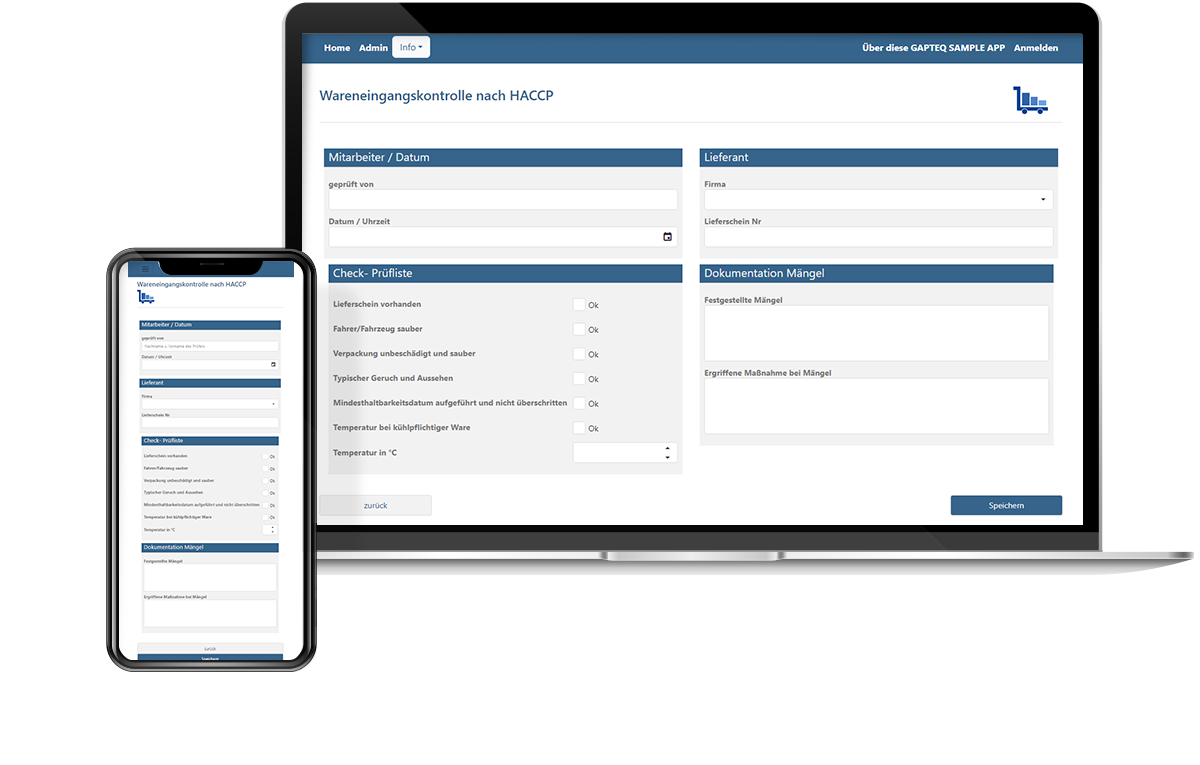
GAPTEQ goods-receipt inspection app shown on a laptop and a smartphone
Central master data maintenance

Maintenance of product, customer, or supplier data in a central database.
e.g., product master data, customer management, supplier directory

Data entry and management

Entering and editing production, quality, or logistics data directly in the database.
e.g., quality inspection, inventory management, incoming goods inspection

Planning and control with Write Access

Data is not only analyzed but also directly supplemented and adjusted (e.g., in Controlling)
e.g., budget planning, forecasting, investment planning

Expansion of existing systems

Existing systems are enhanced with missing features without having to replace them entirely
e.g., ERP extensions, custom additional screens, supplementary workflows

Access to modern data platforms

Business units work directly in the data warehouse or on central data platforms such as Microsoft Fabric, Azure Databricks, or Snowflake.
e.g., master data maintenance, data enrichment, decision templates

DIRECTLY ON YOUR EXISTING DATA

Here's how to create your custom database front end

Connect a data source

Existing databases or platforms are connected directly, without migration or additional data storage.

Build a structured front end

Based on your requirements, we develop a custom application that clearly structures access to your data and makes it useable.

Enable access

Departments work directly with the data – structured, traceable, and without depending on IT or development.

Expand at any time

Requirements can be added to and adjusted at any time. The existing structure is further developed rather than rebuilt from scratch.

DIRECTLY INTEGRATED

Building Database Front Ends with GAPTEQ

With GAPTEQ, you can quickly develop custom applications based on existing data sources. You retain full control over your infrastructure and data at all times.

icon-central-data

Integration of existing data sources

GAPTEQ applications become part of your IT infrastructure and access existing data sources and systems directly. No migration or additional data storage is required.

icon-api-integration

Wide support for modern data platforms

Integration with traditional standard databases, data warehouses, and platforms such as Microsoft Fabric, Snowflake, or Azure Databricks.

icon-implementation

Web-based access for departments

The applications are browser-based and allow direct access for entering, editing, and managing data without the need for additional tools or local installation.

icon-security

Centralized control of access and security

Roles, access, and permissions are managed centrally, with full traceability. The data remains within your infrastructure and under your control.


PROVEN IN PRACTICE

Database front ends in use

Successful companies use GAPTEQ to build custom applications directly on top of existing data sources—from data warehouses to operational data collection.
“GAPTEQ is a tool for the department. It’s really fun to work with.”

Albert Kremer, Planning & Reporting Systems Austrian Airlines AG

Everything you need to know. At a glance.

Frequently asked questions

When do I need a database front end?

When multiple users need to access, modify, or work with central data in a structured way—but without requiring in-depth technical knowledge or having to go through IT tickets and Excel exports.

Can I create a database front end without my own development team?
Yes. As a low-code platform, GAPTEQ is designed to enable the creation of applications without traditional software development—using drag-and-drop functionality and configurable components.
Which databases and data platforms does GAPTEQ support?

GAPTEQ supports traditional SQL databases (SQL Server, MySQL, PostgreSQL) as well as modern data platforms such as Microsoft Fabric, Azure Databricks, and Snowflake. Data is accessed directly, in real time, and without the need for data migration.

How long does it take to build a database front end with GAPTEQ?

Functional applications are typically developed within a few days—depending on the level of complexity and the available requirements. At lead link, the user interface for master data and metadata maintenance was up and running within three days.

Does existing data need to be migrated?

No. GAPTEQ builds directly on your existing database—without the need for additional data storage, mirroring, or migration.

How is access to the front end secured?

Access is controlled through a centralized role- and permission-based system. Individual users or groups are granted access only to the areas and data for which they are authorized. In addition, GAPTEQ supports integration with EntraID / AD for company-wide single sign-on.

What sets GAPTEQ apart from a BI tool like Power BI?

BI tools such as Microsoft Power BI are optimized for reporting and data visualization. GAPTEQ is not a reporting tool, but a platform for capturing, viewing, and editing data, as well as for mapping business processes and business logic directly from a central data source. The two approaches complement each other: Power BI displays the data, while GAPTEQ maintains and manages it.

Build your own application for your database today!

With the predefined components, it’s especially easy to build your very first application. Put us to the test with your own unique project.